Desk Posture Tips: Simple Habits and Stretches for Work
BY: DA PUBLISHED: 2026-11-15 13:55:52 | UPDATED: 2026-11-15 18:11:27 | Views: 92
Simple desk posture tips for a comfortable workday: easy setup checks, movement breaks and gentle stretches. General wellness tips, not medical advice.
Many of us spend hours each day at a desk, a laptop or a dining table. Over a long day, it is easy to slump forward, tilt the head down and forget to move. Small adjustments can make working time feel more comfortable.
This guide shares practical desk posture tips you can use at home, in an office or in a shared workspace. You do not need special equipment. A few setup checks, regular movement and gentle stretches go a long way.
Key takeaways
- Good posture is about comfortable, supported positions, not one rigid pose.
- Set up your chair, screen and keyboard so your body can relax.
- Change position often. Your next posture is usually your best posture.
- Short movement breaks and gentle stretches are easy to fit into a workday.
- Laptops, sofas and cafés need a few extra tricks.
- For ongoing discomfort, consult a healthcare professional.
What good posture really means
Many people picture good posture as sitting bolt upright with shoulders pulled back. In practice, that position is tiring to hold. A more helpful idea is a relaxed, neutral position where your body feels supported.
In a neutral sitting position, your head sits roughly over your shoulders, your shoulders are loose, and your back rests against the chair. Your feet are supported and your arms hang comfortably.
No single position is ideal for hours. Movement matters as much as the position itself. Think of posture as something you adjust throughout the day, not something you fix once.
Set up your desk in five quick checks
Before changing your habits, look at your workspace. A good setup makes comfortable posture the easy choice. Use the table below as a quick checklist.
| Area | What to aim for | Easy fix |
|---|---|---|
| Chair | Feet flat, knees roughly level with hips | Adjust the height or use a sturdy footrest, such as a small box |
| Back support | Lower back lightly supported | Place a small rolled towel or cushion behind you |
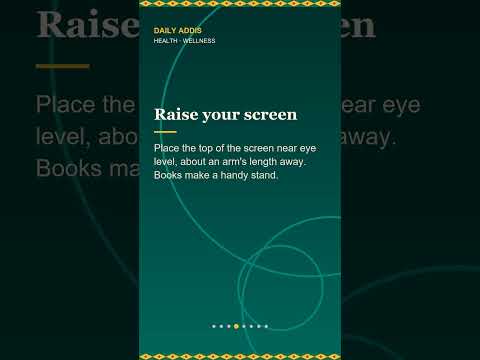
| Screen | Top of the screen near eye level, about an arm's length away | Raise it on a stack of books |
| Keyboard and mouse | Elbows close to your sides, wrists in a natural line | Bring them closer so you do not reach |
| Lighting | No glare on the screen | Turn the screen or adjust the curtains |
You do not need to get every detail perfect. Start with the item that feels most awkward today and adjust that first.
Build movement into your day
Even a well-arranged desk cannot replace movement. Staying in any one position for a long time can leave you feeling stiff. The simplest habit is to change position regularly.
- Stand up at natural pauses. Do this after finishing a task, ending a call or refilling your water.
- Use a timer or reminder. A gentle phone alert every 30 to 60 minutes works for many people.
- Take calls on your feet. Walking around while you talk adds easy movement.
- Walk to a colleague or neighbour. Skip the message when a short walk is possible.
- Vary your workspace. If you can, alternate between sitting and standing.
These small breaks also help your eyes and mind rest, so you may feel fresher afterward.
Six gentle desk stretches
These stretches are meant to feel pleasant and easy. Move slowly, breathe normally and stop if anything feels sharp or painful. Hold each one for a comfortable few breaths and repeat as you like.
1. Shoulder rolls
Lift your shoulders toward your ears, roll them back and down, then repeat in a smooth circle. This helps loosen tension from typing or scrolling.
2. Neck side tilt
Sit tall and lower one ear gently toward the same shoulder. Keep the other shoulder relaxed. Return to the centre and switch sides.
3. Chest opener
Clasp your hands behind your back or hold the sides of your chair. Gently open your chest and look straight ahead. This counters long periods of leaning forward.
Video 1 of 1
4. Seated twist
Sit tall, place one hand on the opposite knee and turn gently toward the back of your chair. Move within a comfortable range, then switch sides.
5. Wrist and finger stretch
Extend one arm in front of you with the palm up. Use the other hand to gently draw the fingers back. Then turn the palm down and repeat.
6. Standing hip and calf stretch
Stand and take a small step back with one foot, keeping the heel down. Lean slightly forward until you feel a mild stretch, then switch legs. A hand on the desk can help your balance.
Posture tips for laptops, sofas and cafés
Laptops are convenient, but the screen and keyboard are attached. That makes it hard to place both well. A few simple tricks can help.
- Raise the laptop. Use a stand or a stack of books, then add a separate keyboard and mouse if you can.
- Avoid the sofa for long sessions. If you do use it, support your back with cushions and keep the laptop at a comfortable height.
- Keep your feet supported. Dangling feet can make you shift and slump. Rest them on the floor or a low stool.
- Switch spots. Alternating between a table, a counter and a comfortable chair gives your body variety.
- Check in at cafés. Choose a seat with back support and a table at a comfortable height when possible.
A simple daily posture routine
Habits stick best when they are small and easy to remember. Here is a sample routine you can adapt.
- Morning: Do a quick workspace check using the table above.
- Every hour or so: Stand, roll your shoulders and take a few deep breaths.
- Midday: Walk for a few minutes, ideally outdoors.
- Afternoon: Do two or three of the gentle stretches.
- End of day: Notice how your body feels and decide on one small change for tomorrow.
Pairing these actions with something you already do, such as drinking water or finishing a call, makes them easier to remember.
Know when to ask for personal guidance
This article offers general wellness ideas, not medical advice. Everyone's body is different, and a setup that suits one person may not suit another.
If you have ongoing discomfort, numbness, tingling or pain, or if you have a health condition or injury, consult a healthcare professional. They can give guidance suited to you. Many workplaces also offer a workspace assessment.
Frequently Asked Questions
What is the best sitting position at a desk?
There is no single best position. Aim for supported, relaxed positions with feet grounded, a lightly supported back and a screen near eye level. Then change position often.
How often should I take a break from sitting?
Many people find a short break every 30 to 60 minutes comfortable. Stand, stretch or walk for a minute or two. Choose a rhythm that fits your work and feels natural.
Do I need an expensive ergonomic chair?
Not necessarily. A chair you can adjust, plus a cushion, a footrest and a raised screen, can make a real difference. A good setup is about fit and variety, not price.
Can stretching fix my posture?
Stretching can help you feel looser and more relaxed, but it works best alongside regular movement and a comfortable setup. For personal concerns, consult a healthcare professional.
Conclusion
Comfortable desk posture comes from a supportive setup, frequent movement and a few gentle stretches. Start with one small change today, such as raising your screen or setting a break reminder, and build from there. Your body will appreciate the variety.
You May Also Like
Latest Videos
Stop Buying Apartments Blindly: 3 Hidden...
Jul 08, 2026Super Girl Movie 2026 is finally here!
Jul 05, 2026Ethiopian Kitfo
Jul 05, 2026Related Articles

Hydration Tips: Simple Daily Habits to D...
1 week ago